Troubleshooting Cheat Sheet
This cheat sheet provides essential command-line tools for troubleshooting Linux system
performance. It focuses on disk space, memory usage, running processes, and service status.
1. Disk Space Monitoring
Tools to check available storage, usage, and I/O activity.
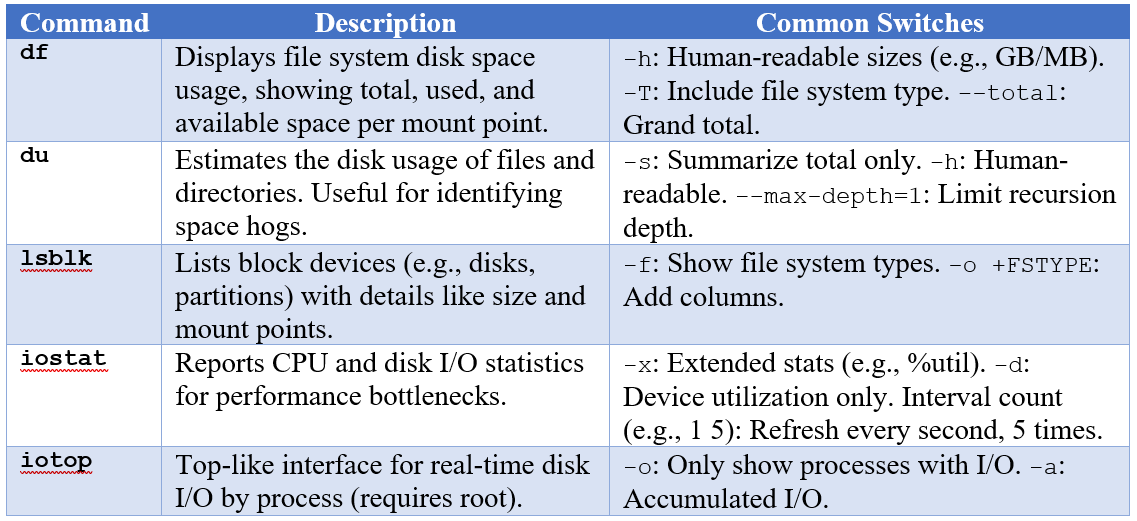
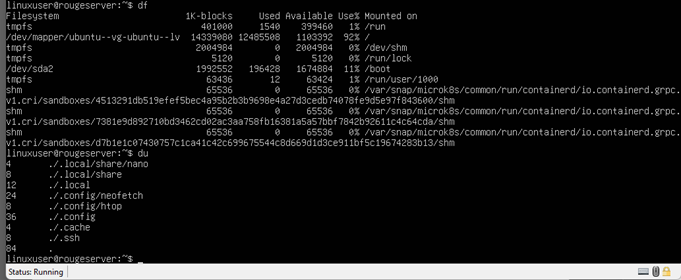
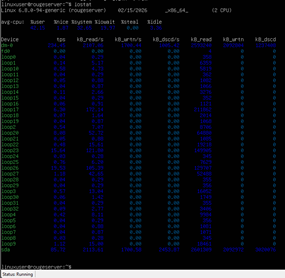
Use df for quick overviews; du for drilling down; iostat/iotop for I/O performance issues. Some of the commands may require installation.
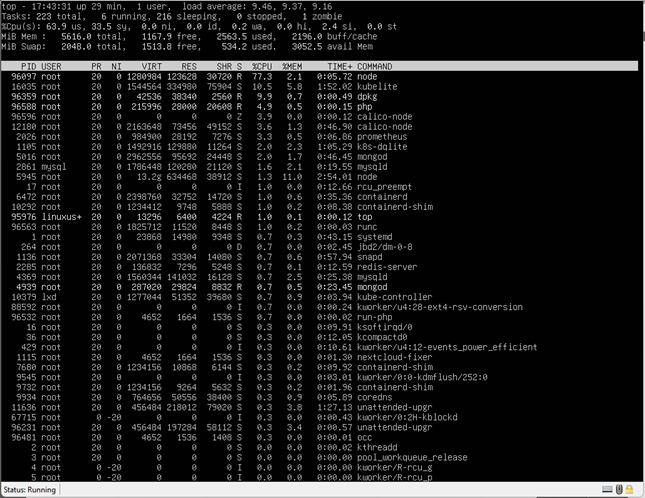
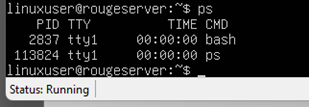
The outputs are as follows.
2. Memory Usage Monitoring
Tools to view RAM, swap, and virtual memory stats.
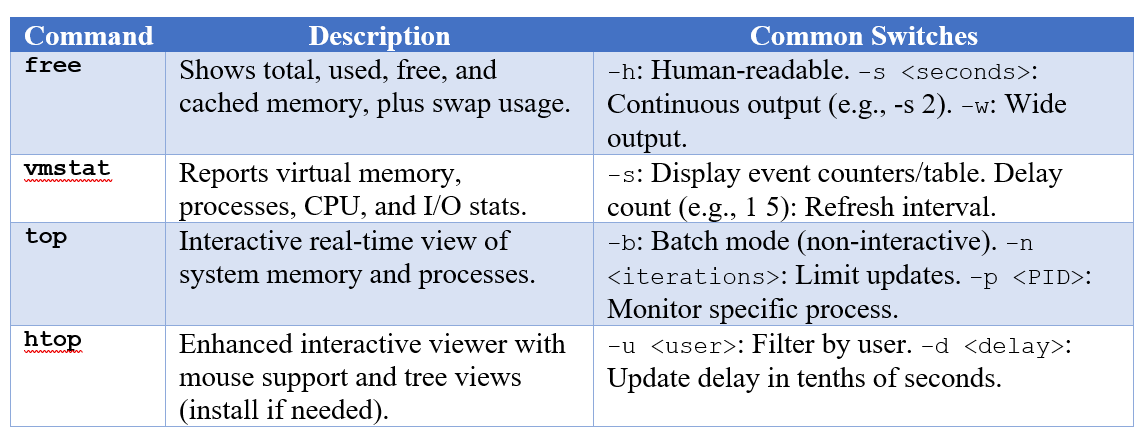
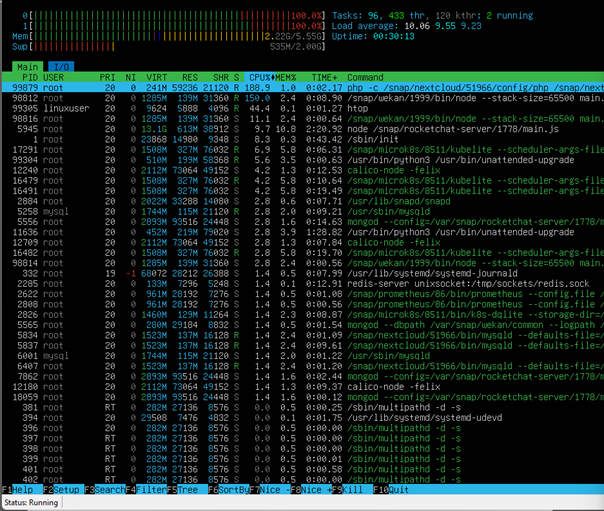
Use free for snapshots; vmstat for trends; top/htop for real-time monitoring with process details.


3. Running Processes Monitoring
Tools to list, search, and manage active processes.
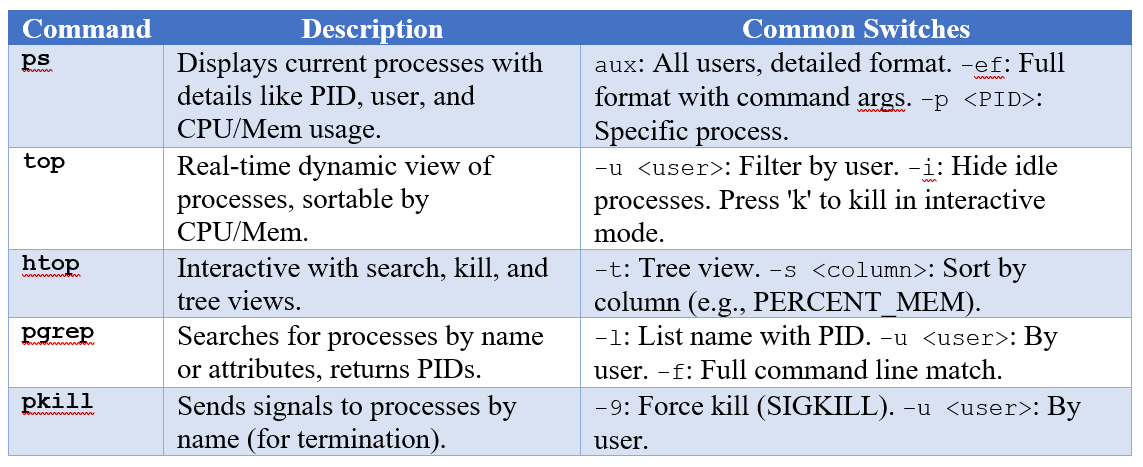
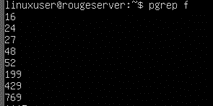
Use ps for listings; top/htop for interactive monitoring; pgrep/pkill for automation/scripts.
4. Services Status Monitoring
Tools to check if services (daemons) are running, enabled, or stopped. Assumes systemd (common in modern distros); alternatives for SysV init.
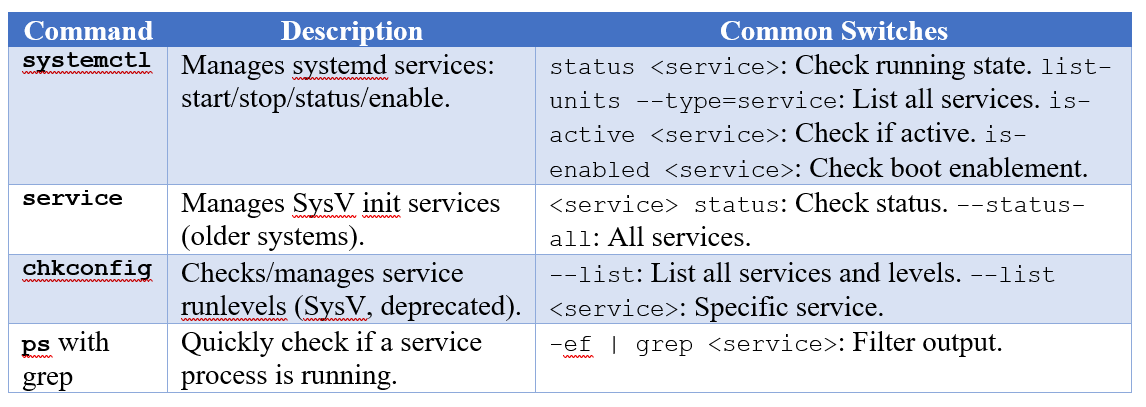
Use systemctl on systemd systems (Ubuntu 16+); service on older systems. For non-systemd, check /etc/init.d/. Restart with systemctl restart if issues arise.
Combine tools (such as top for processes + memory). For graphical alternatives, consider gnome-system-monitor. Monitor logs with journalctl (systemd) or /var/log/syslog. Update tools regularly for security. This sheet is based on standard Linux utilities; adapt for specific distros.